When a calendar notification isn’t enough.
Turn calendar reminders into alarms for meetings, appointments, and the plans you want time to prepare for. Choose your calendars, adjust the timing, and keep upcoming alarms in view.
Free, no account required. Available now on the App Store and Google Play.
Get it for your phone
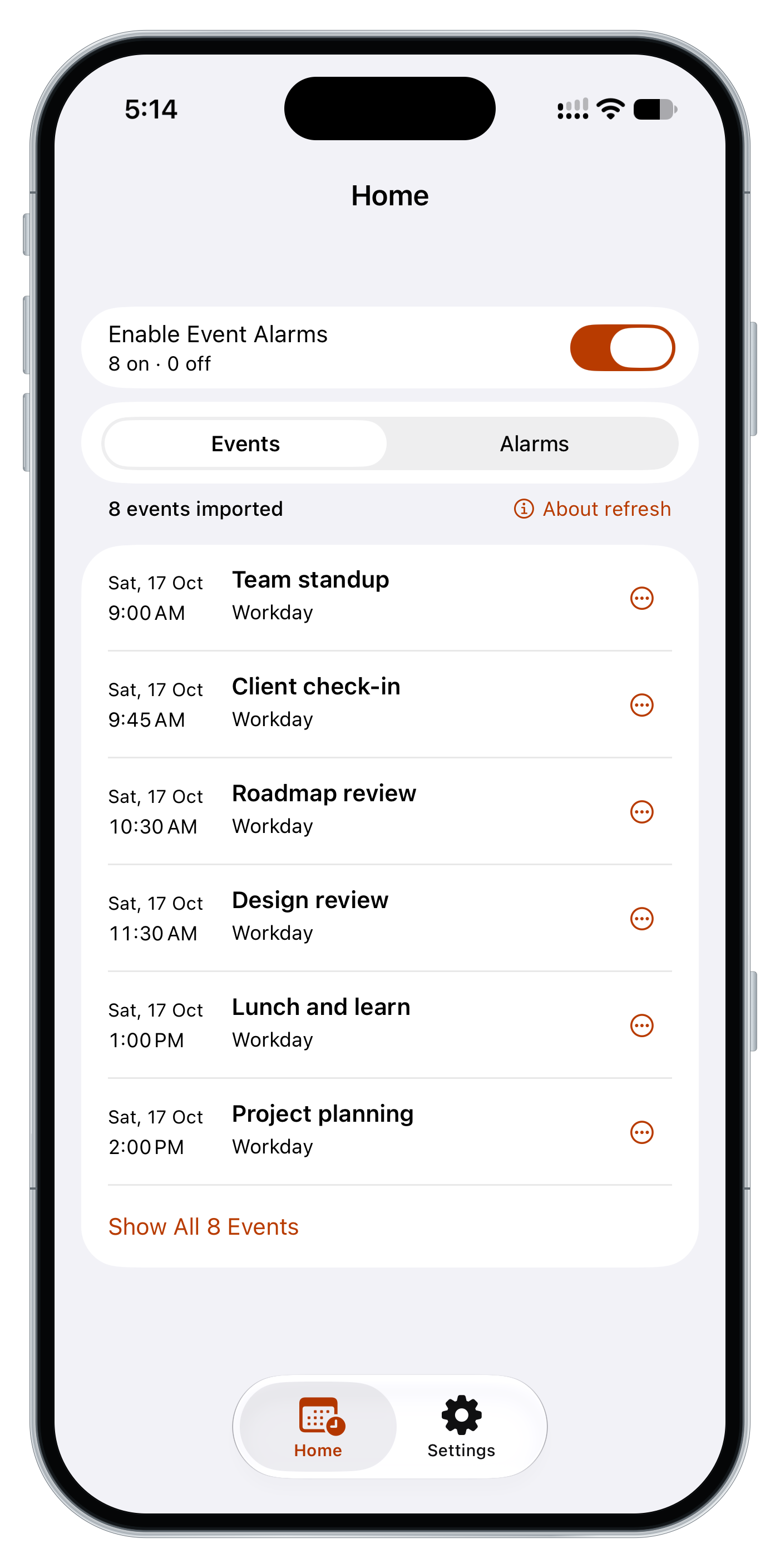
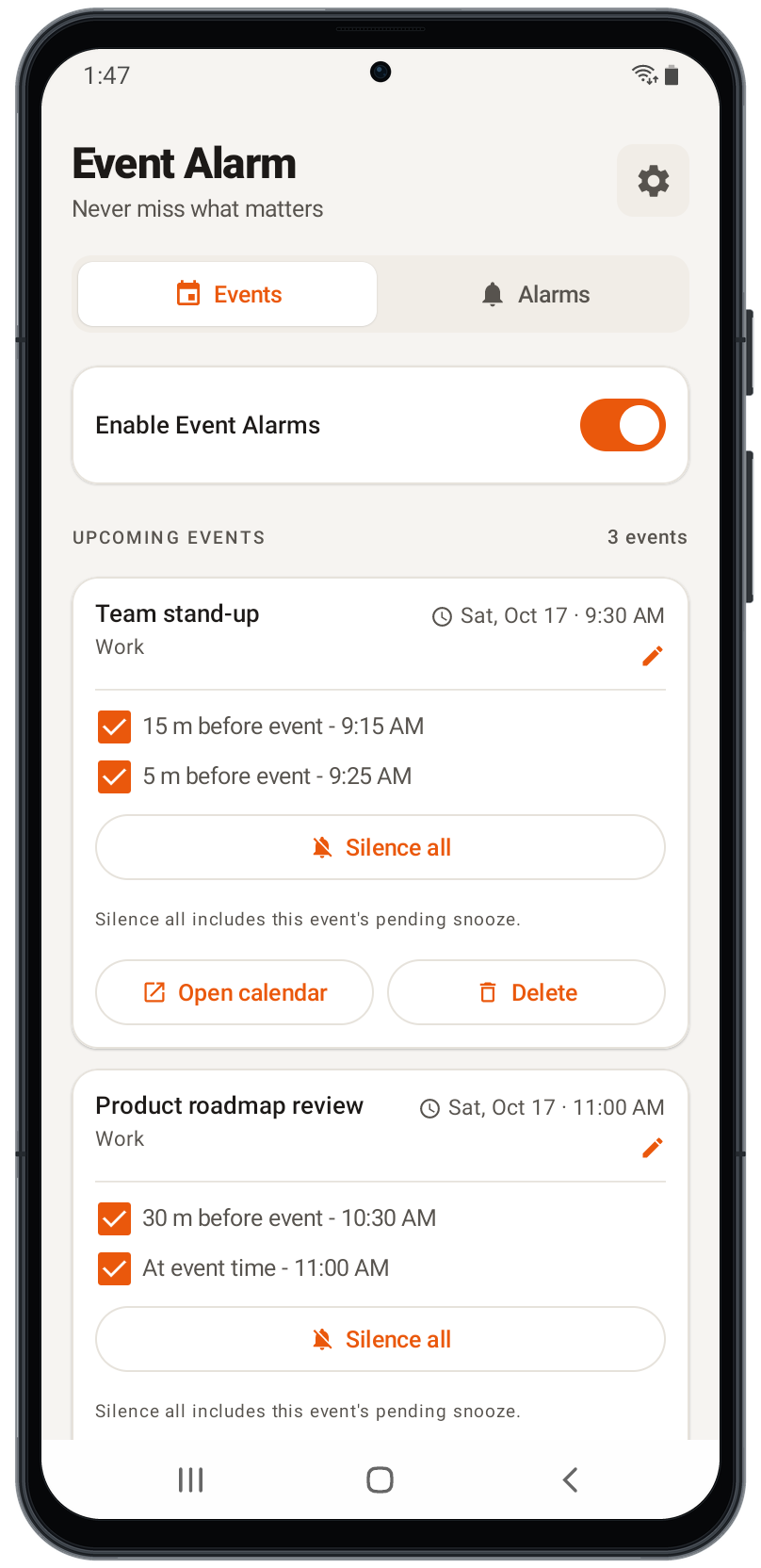
Choose your calendars, leave time to prepare, and control which events create alarms. Each app uses the alarm options available on your phone.
iPhone
- ✓ Calendar events and dated Reminders, together
- ✓ App Reminder Only timing without changing Calendar alerts
- ✓ Choose Always Sound or Respect Silent Mode; System Default plus five included sounds
- ✓ Home Screen widgets in three sizes, plus a navigation-only Lock Screen widget
Respect Silent Mode uses notifications that iOS may mute or delay. The Event Alarms master control supports both delivery modes; individual alarm controls in Respect Silent Mode open the app.
Android
- ✓ Choose Full alarm or Normal notification
- ✓ Full alarm mode includes sound, vibration, voice, and configurable actions
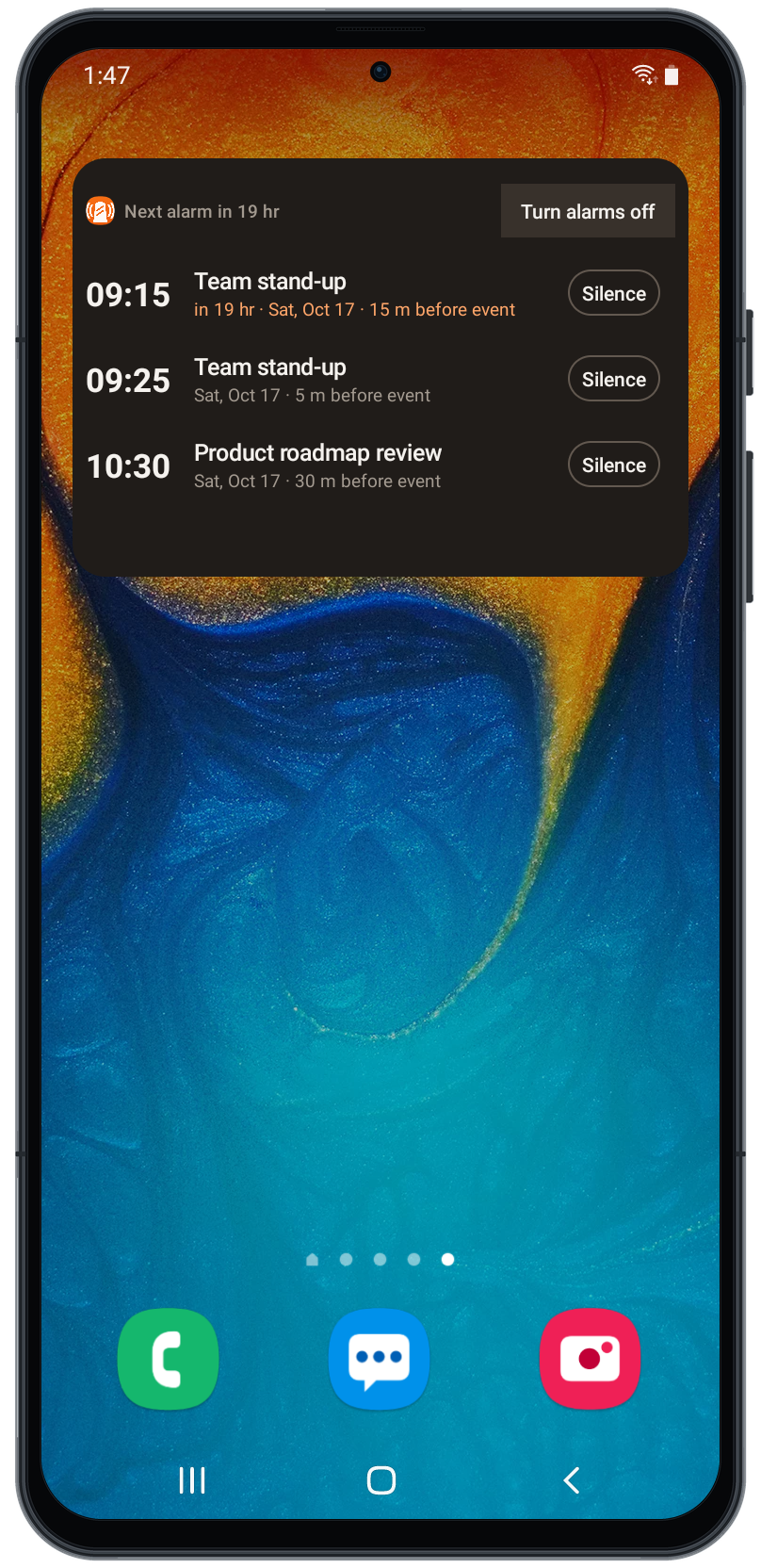
- ✓ Home Screen widget with Turn alarms on/off and Silence/Restore controls
Leave room for the next thing
A clearer reminder
Turn selected calendar reminders into alarms you can see and manage.
Leave time to get ready
Use existing reminder times or choose when an alarm should sound before an event.
Choose what needs attention
Pick your calendars, filter unwanted events, and silence individual alarms.
See what is coming
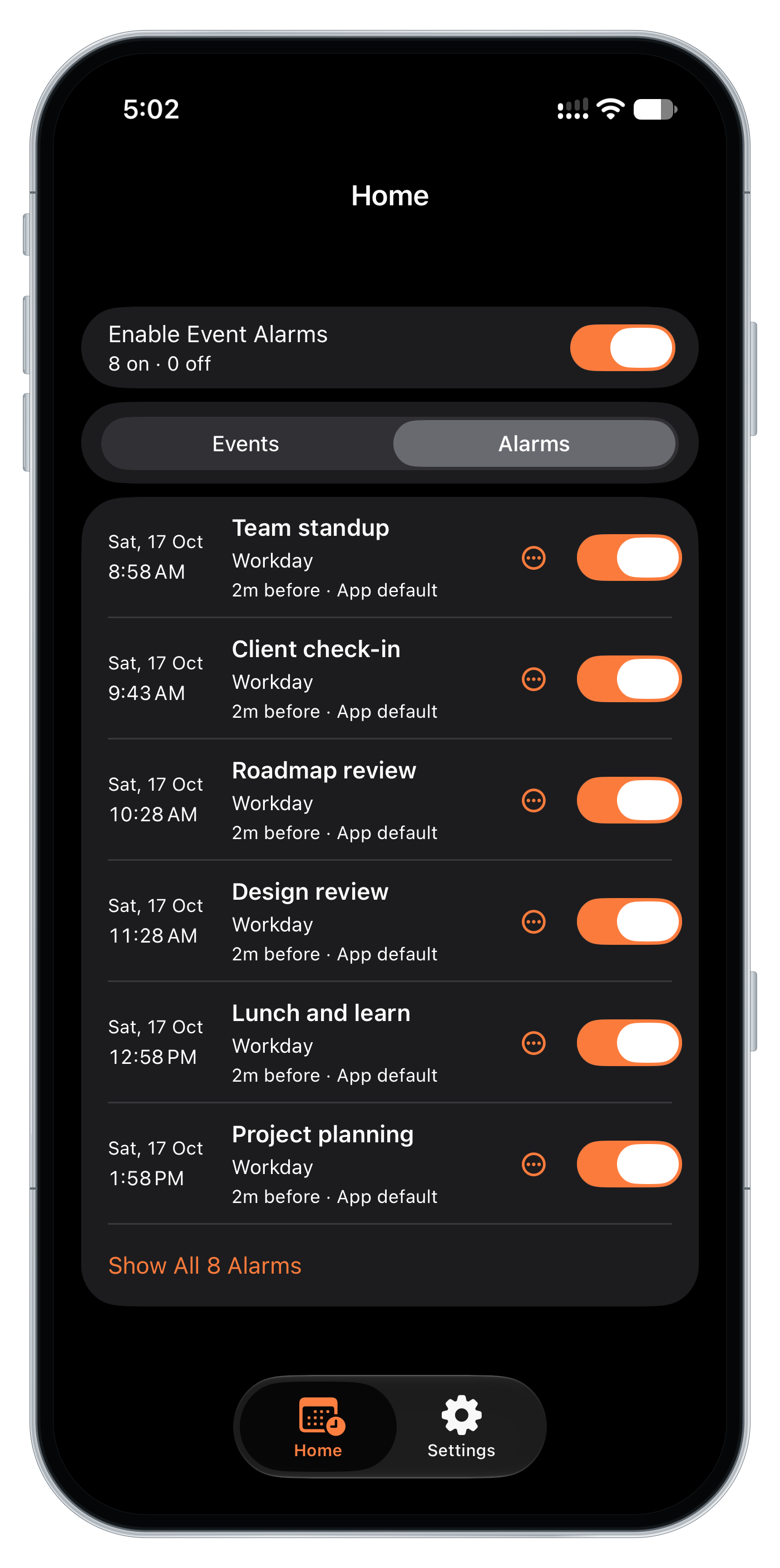
Check upcoming Events and Alarms in the app or on a Home Screen widget.
Make room for the way you plan
Choose timing and controls that fit your day. Alarm behavior differs between iPhone and Android.
Give your next meeting an alarm
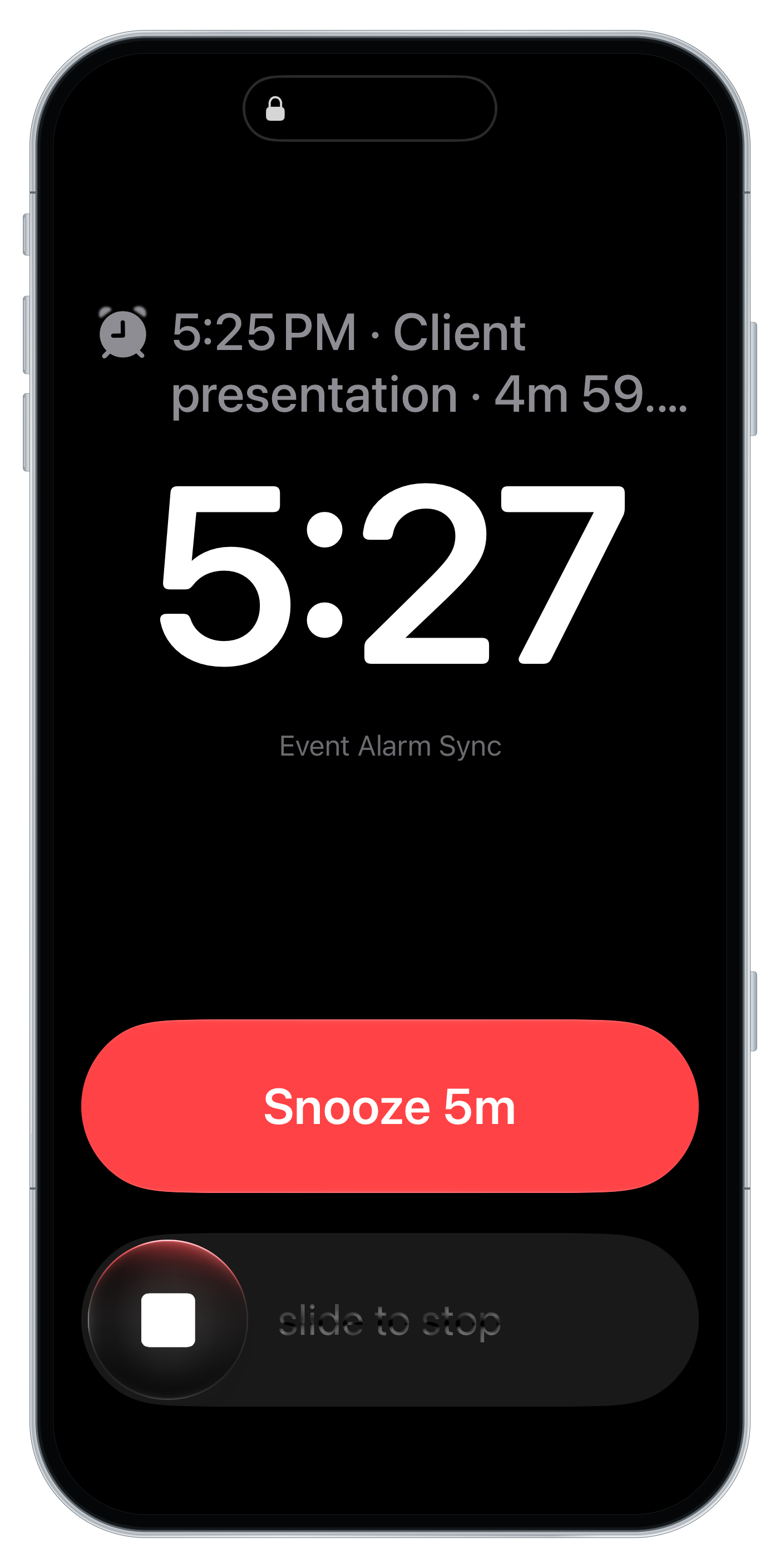
See what is scheduled before meetings begin. On Android, choose Full alarm or Normal notification. On iPhone, choose Always Sound or Respect Silent Mode. Normal notification and Respect Silent Mode follow system notification settings.
- ✓ AlarmKit or standard notifications on iPhone; full-screen alarms or normal notifications on Android
- ✓ Respect Silent Mode needs notification Alerts and Sounds, supports up to 48 pending app notifications, and may return to Always Sound if a later schedule exceeds that budget
- ✓ On Android, alarms and widgets are restored after reboot and rechecked in the background
Set the time you need
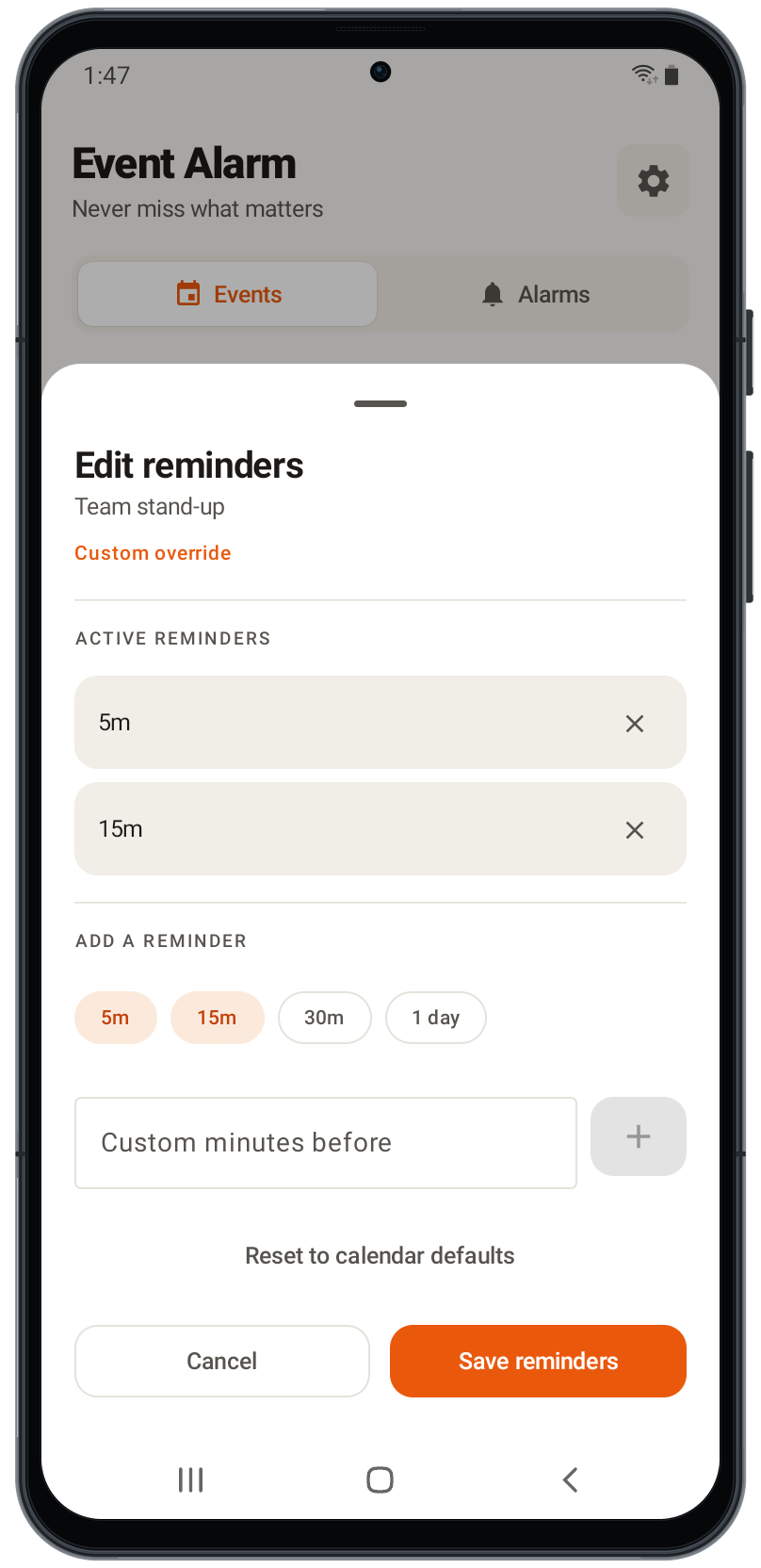
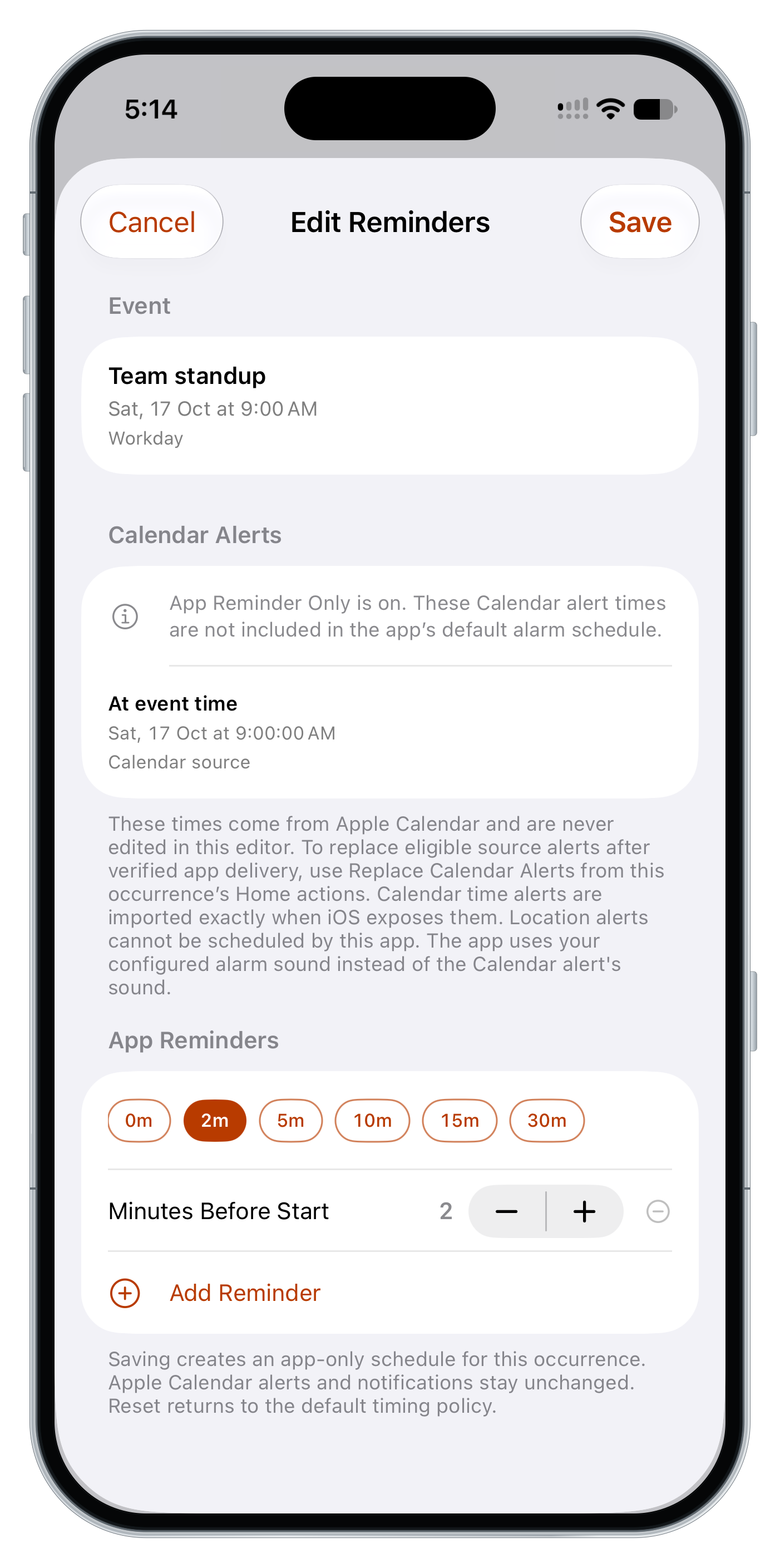
Add or remove reminder offsets per event, set a custom minutes-before value, or apply global defaults. Choose which calendars can trigger alarms and filter out the noise.
- ✓ Per-event reminder overrides and global reminder offset controls
- ✓ Calendar selection — pick which calendars can trigger alarms
- ✓ Optional filtering to ignore all-day or unconfirmed events
- ✓ On iPhone, App Reminder Only changes app alarm timing without editing Calendar alerts. Fresh installs start with a two-minute offset; saved choices are preserved.
- ✓ For eligible writable Calendar events, separately preview and confirm Calendar-alert replacement. Restore it later when the source still matches the saved state.
Alarm behavior on your terms
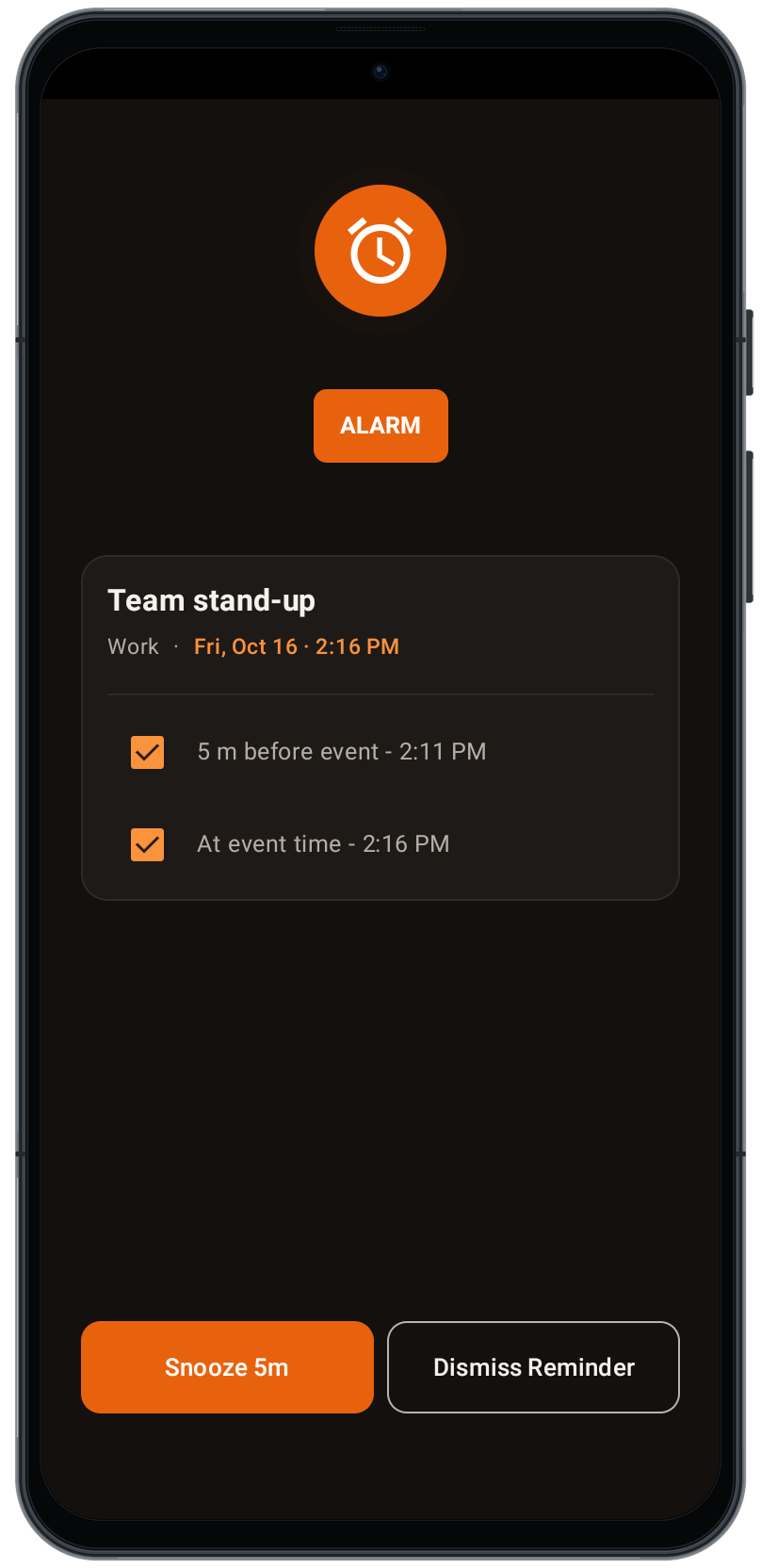
Use Silence all for an event and its pending snooze, then Restore eligible future alarms. Open a supported meeting link with Join, open the source calendar, or confirm deletion of an eligible event or occurrence. A deletion may sync through your calendar account.
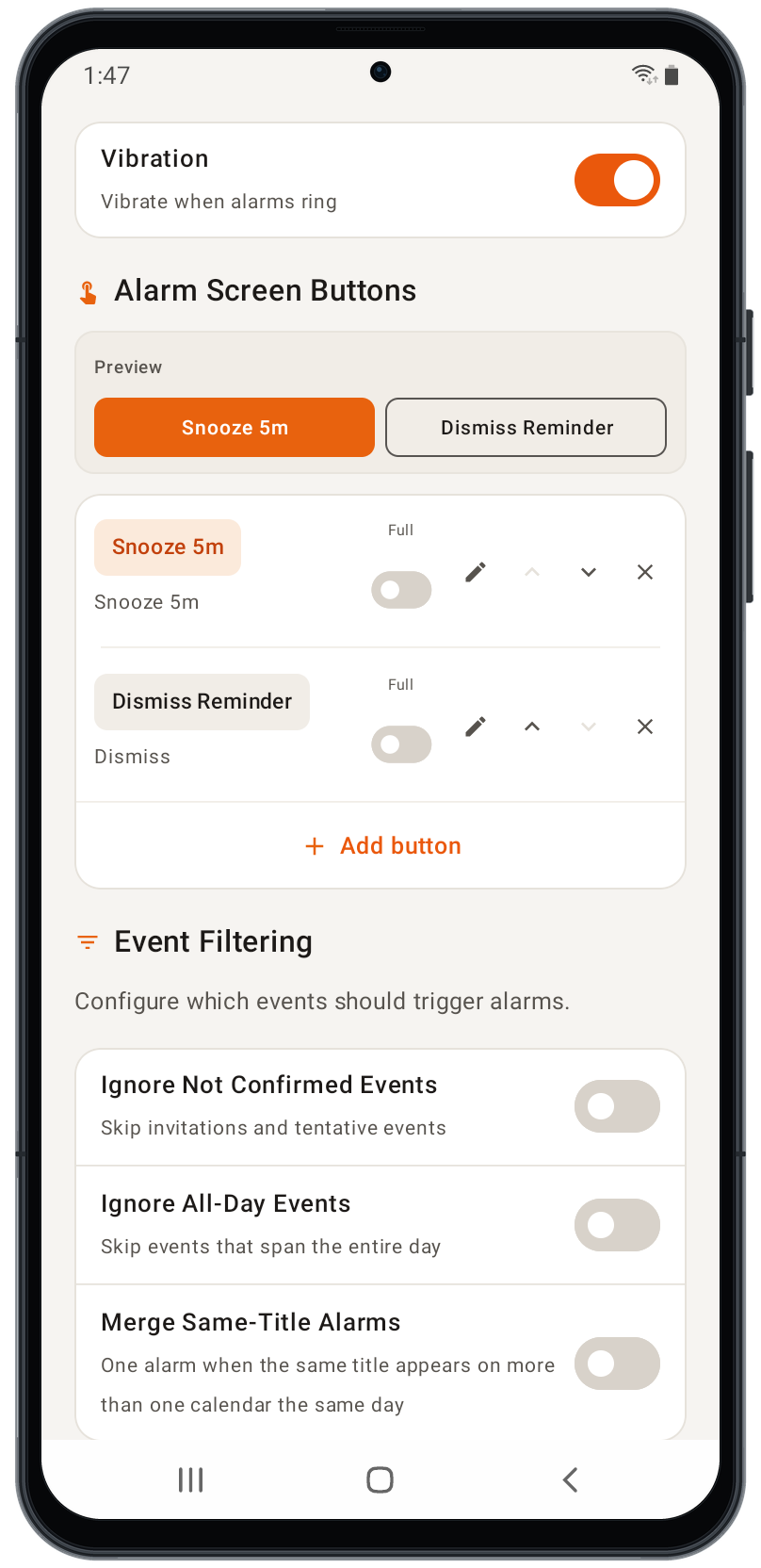
Choose Full alarm for a custom alarm screen, sound, vibration, voice, and snooze controls. Normal notification uses your phone’s notification channel and Do Not Disturb settings without opening the full alarm screen.
- ✓ Full alarm: device alarm sound, repeat-until-dismissed, vibration, and spoken announcements
- ✓ Full alarm: configurable, reorderable alarm-screen buttons
- ✓ Full alarm: snooze, snooze-before-event, dismiss, and dismiss-all-future actions
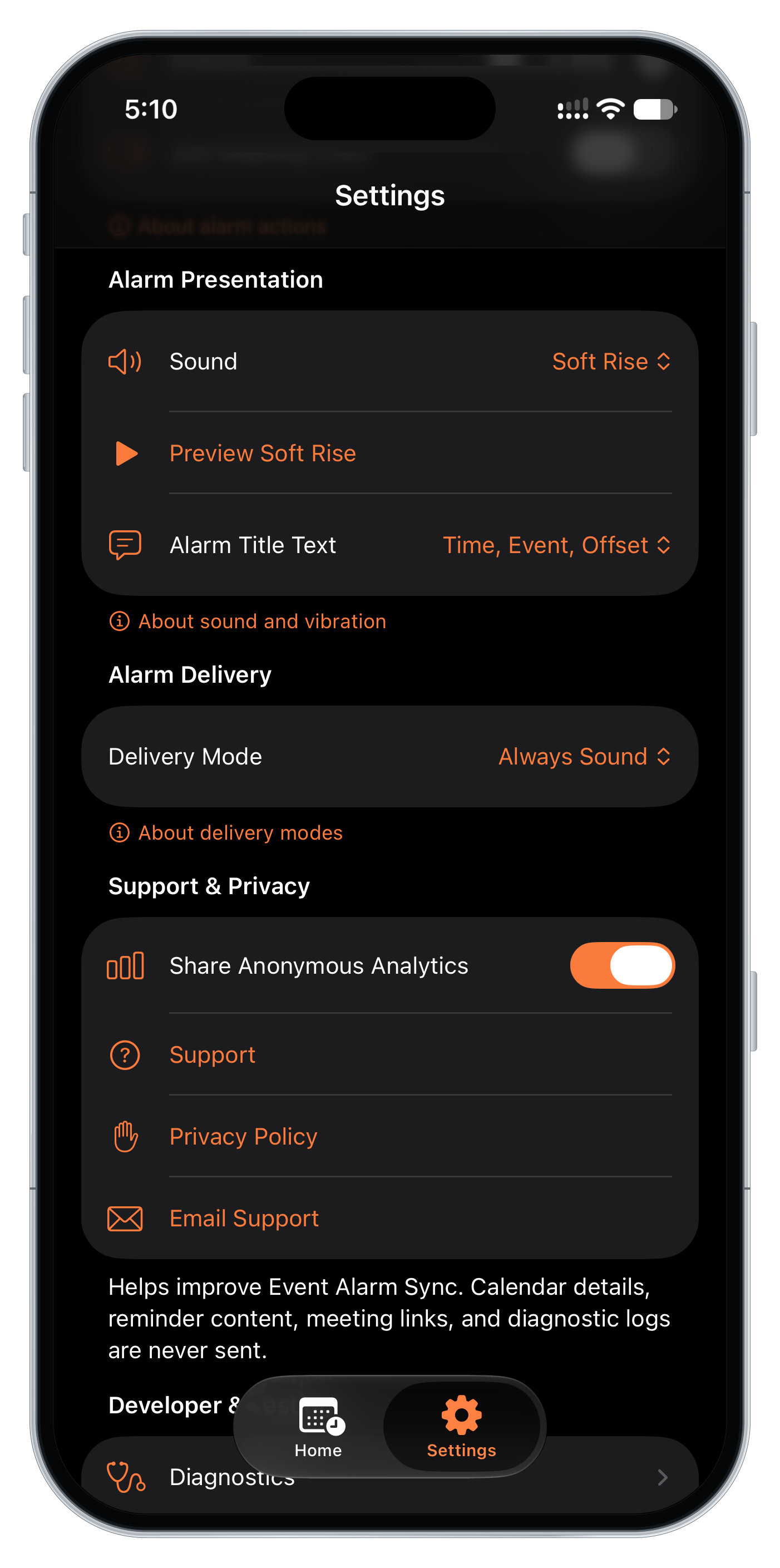
On iPhone, Always Sound uses the AlarmKit screen with system Stop and a Snooze or Join action. Respect Silent Mode uses standard notifications; tap one to open Stop, Snooze, or Join in the app. Silent Mode, Focus, and notification settings can mute or delay it.
See what you control before it rings
Review iPhone reminder timing and alarm settings alongside Android’s configurable alarm controls.
Check upcoming alarms on your Home Screen
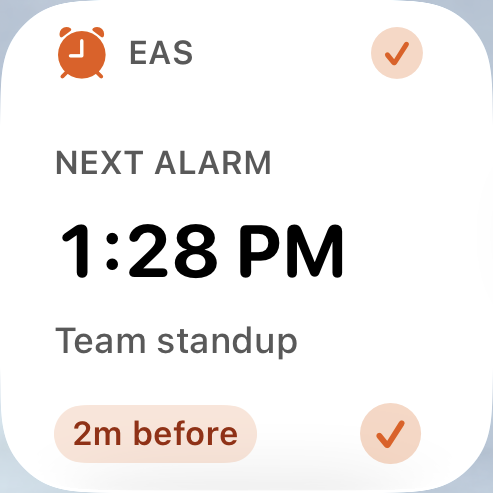
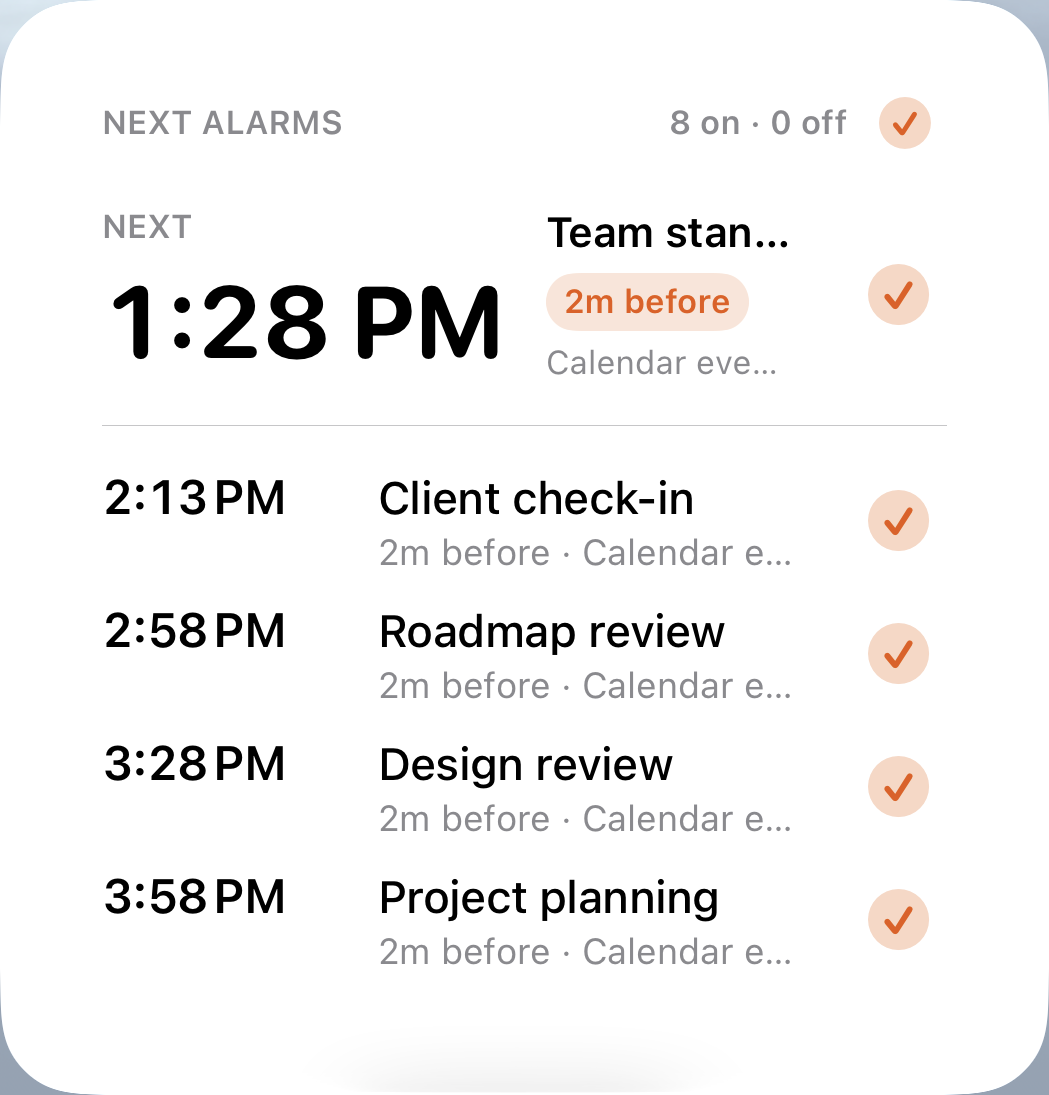
See the next alarm and what is ahead without opening the app. iPhone offers Small, Medium, and Large Home Screen widgets, plus a navigation-only Lock Screen widget. Android widgets adapt to your launcher grid.
The iPhone Event Alarms master control supports both delivery modes. Individual alarm controls in Respect Silent Mode open the app; Always Sound and Android support direct widget alarm controls. If saved state needs recovery, open the app.
iPhone · Light and Dark
Light · Small and Large
Dark · Small and Large
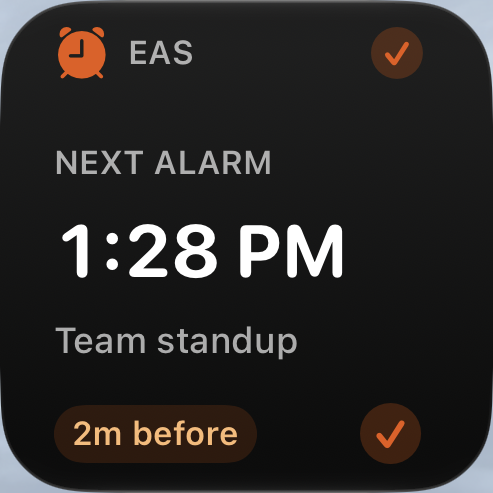
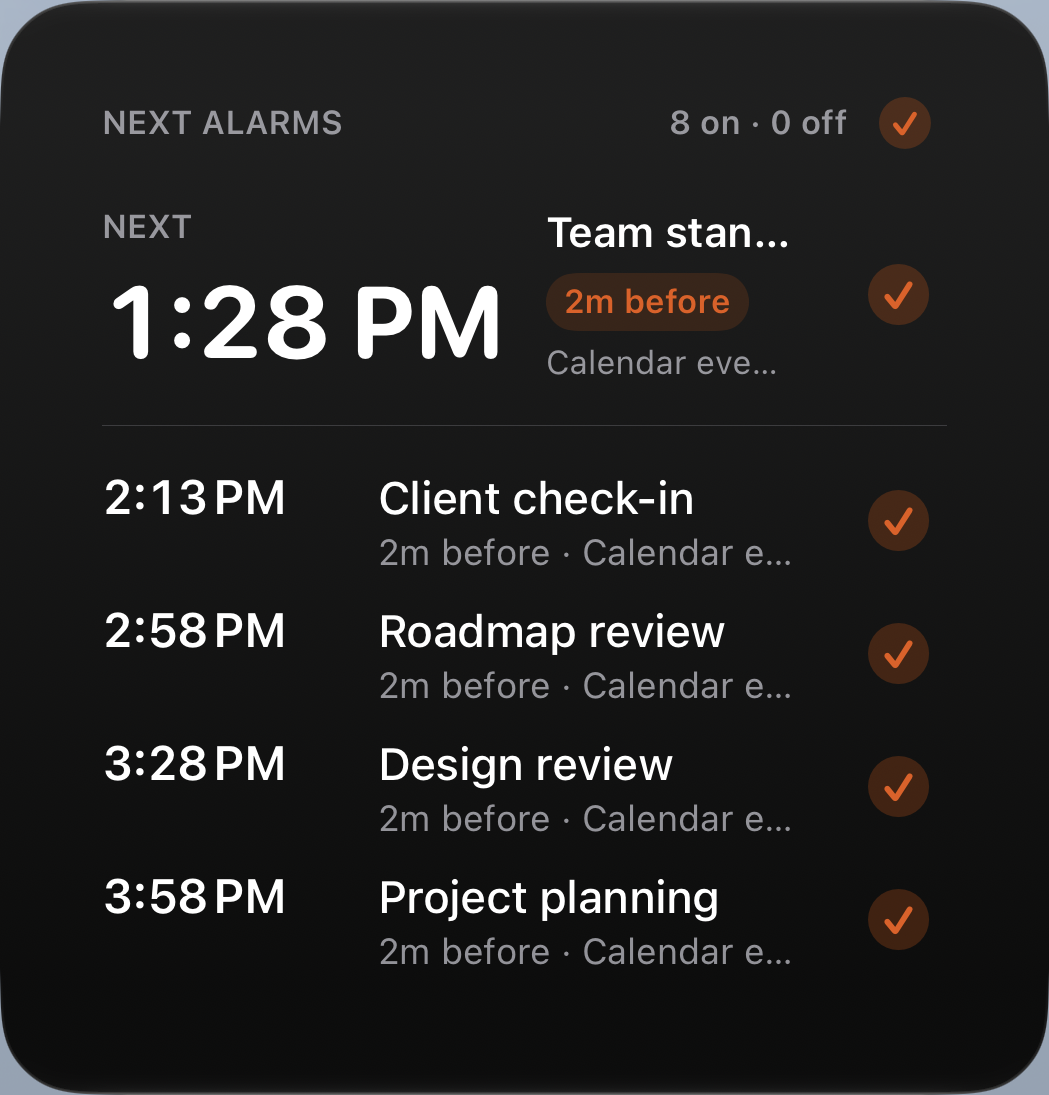
Four approved physical widget crops arranged for comparison; this board is not a complete Home Screen.
Android · Home Screen
From calendar to alarm, automatically
The same shape on both platforms, using each one’s alarm system.
Reads your calendar events — plus incomplete Reminders with due dates on iPhone.
Finds upcoming reminder times and schedules an alarm for each one.
Delivers the scheduled alert: AlarmKit or standard notifications on iPhone; Full alarm or Normal notification on Android.
Lets you snooze, dismiss, or silence reminders — preferences stored locally.
Shows what is next in interactive Home Screen widgets.
Keeps alarms current: reboot recovery and repeated verification on Android, best-effort background audits on iPhone.
What each permission is for
Permissions support reminder delivery and the calendar actions you choose. None is used for advertising or tracking. The two platforms ask for different things.
Note: on Android, alarm reliability can vary by device vendor settings — excluding the app from battery optimization can improve consistency. On iPhone, Always Sound uses AlarmKit; Respect Silent Mode uses standard notifications that can be muted or delayed. iOS decides whether and when background refresh runs.
Local-first by design
- ✓ Calendar, alarm, settings, widget, and diagnostic data are processed on the device.
- ✓ No account or ads. Calendar and Reminder content is processed on your device.
- ✓ Anonymous usage analytics and sanitized reliability reporting can be turned off at any time in Settings.
- ✓ No advertising or cross-app tracking; calendar and reminder content and local diagnostic logs are never sent to analytics.
Good to know
- ! iPhone requires iOS 26 or later and is not available for iPad. Android requires 11 (API 30) or later.
- ! Reminders may be delayed if external calendar sync is delayed on the device.
- ! Choose Full alarm or Normal notification on Android. Normal notifications follow phone, channel, and Do Not Disturb settings. iPhone Always Sound uses AlarmKit; Respect Silent Mode uses standard notifications that iOS may mute or delay.
- ! Timing depends on the operating system: Android exact alarms are affected by permissions and manufacturer settings, and iOS background refresh is best effort.
Download it, or ask us anything
Available now on the App Store and Google Play. For questions, bugs, or business inquiries, reach out any time — we read every message and respond directly.